Windows
Windows 10 or 11, 64-bit. Extract the whole zip, then run kitsu.exe.
 GitHub
Kitsu emulator · free & open source
Dream. Play. Explore.
A free, open-source Nintendo Switch and Switch 2 emulator for PC, tuned for smooth, even frame pacing, with a console-style home screen that shows your games as the cases on your shelf.
Windows, Linux & macOS · Vulkan · GPL-3.0
Download
Every build is free. Not sure which one? Take the recommended one for your system.
Windows 10 or 11, 64-bit. Extract the whole zip, then run kitsu.exe.
The AppImage runs on most distributions (glibc 2.39+). Make it executable, then run it.
Apple Silicon, macOS 15 or newer. Not notarized: the first time, right-click the app and choose Open.
Every package includes its licenses and a SOURCE.txt pointing to the exact source it was built from. Kitsu includes no games, keys or firmware. All releases on GitHub
The home screen
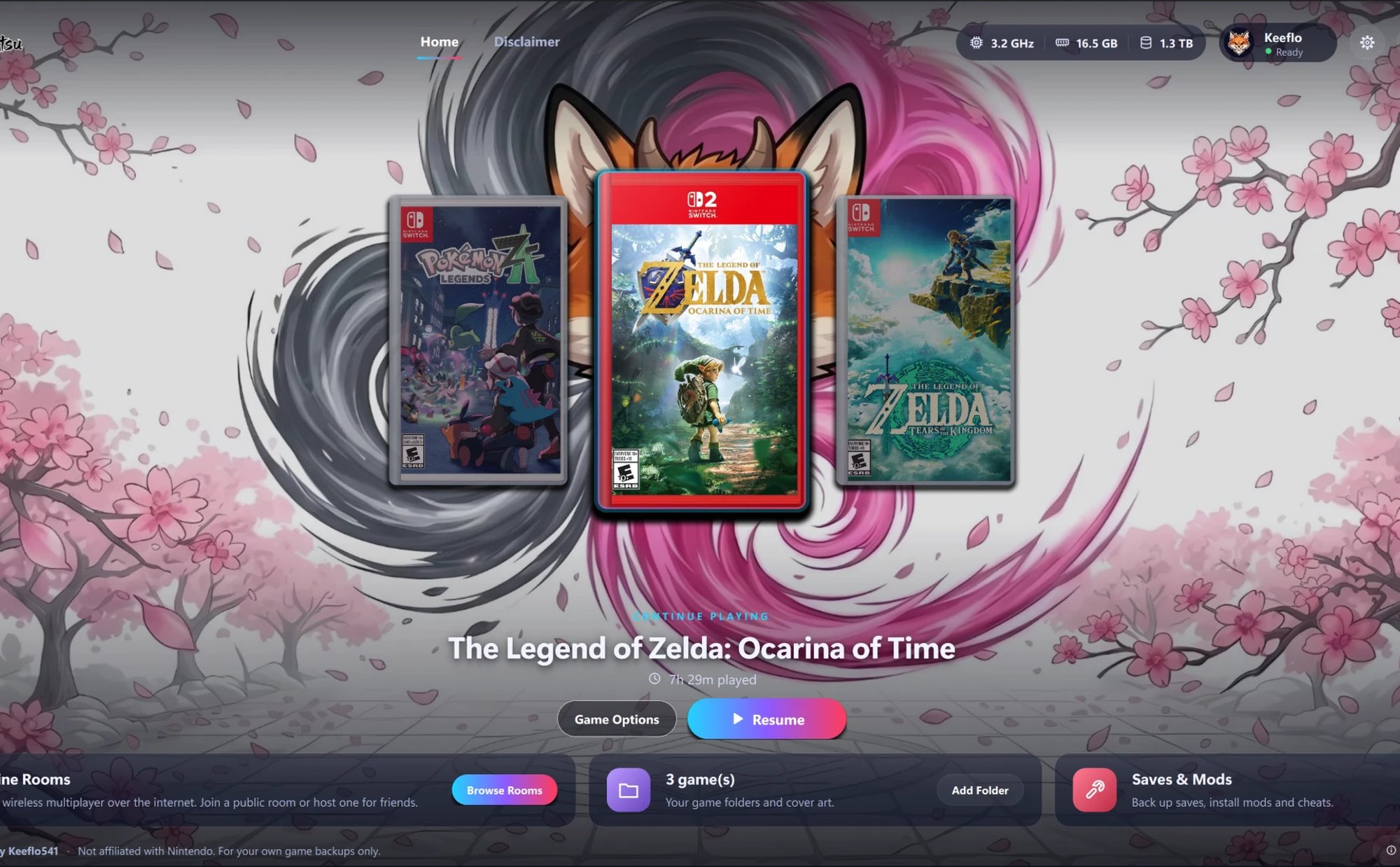
Kitsu opens on your library, not a file list. Your games sit in a carousel as Switch and Switch 2 cases with their real box art, resting on the game you played last. One click resumes.
Under the hood
Steady frame times come first: fewer hitches when new effects appear, and no frame generation needed to feel smooth. Results vary by game, scene, hardware and driver.
A frame pacer locked to your display's refresh shows every frame for the same time, so 60 FPS looks and feels like 60.
New shaders build in the background instead of freezing the game, and compiled ones are kept and rebuilt first after a restart.
The GPU threads get cores of their own and wait on each other far less, so fast desktop processors are put to work.
Vulkan rendering with resolution scaling, FSR and SMAA, plus fixes for foliage, shadows and lighting in the games people play most.
Atmosphère-format cheats and game mods appear in each game's Add-Ons, with an on/off switch for every one, and a Cheats button in game to flip them while you play.
Local wireless multiplayer over the internet. Browse public rooms, host one for friends, or join by address, right from Home.
Game status
Results depend on the game version, your GPU and your driver. This is what the developer has played through, not a promise.
Plays great
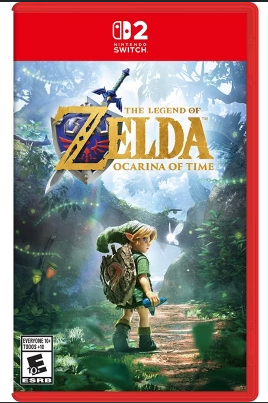
The game Kitsu is being tuned on. A steady 60 FPS through Kokiri Forest and Kakariko on an RTX-class PC, the near-camera foliage fixed, and cheats for rupees, hearts and ammo included. More games will be listed as they are played through.
Box art belongs to each game's publisher and is shown only to identify the game. Kitsu never includes games, keys or firmware.
What's new
Highlights from the latest commits. Every change is public on GitHub.
Long play sessions no longer wear the frame rate down. Translated game code is now looked up page by page when the game refreshes it, instead of being searched in full each time, so performance holds steady however long you play.
Switch 2 games are now told the real console's display: 1080p handheld and 4K docked, with the 7.9-inch panel. They pick their own render size and upscaling the way they do on the console, while Switch games keep their original sizes.
Add-on content packed into a .nup file is now mounted with the game, so DLC and upgrade packs in a bundle are visible to the game that owns them.
The settings window no longer clips dropdowns or buttons and every page scrolls again. The in-game cheat button is smaller and labelled "Cheats", appearing only for games that have cheats, and the game menu is tidier.
The home screen became a centred carousel of Switch and Switch 2 cases with real box art from the community GameTDB database, a first-launch setup for your name and library folder, Online Rooms on Home, and a built-in disclaimer.
New navigation strip, glass panels, display type, a re-skinned settings window and status bar, and the cel-shaded fox as the app icon.
Pointer tables that compete with a paired constant buffer are now bound correctly, so hedges and grass near the camera stop vanishing.
Fog and exposure workaround for Ocarina of Time, depth bias kept on mesh draws, Vulkan scheduler isolation while the split back-end submits, and a debug server for tracing GPU work and making cheats.
Get started
Get the latest build for your system from the Releases page.
Extract the whole archive anywhere and open kitsu.exe. On Windows, install the included Visual C++ runtime if asked.
On first launch Kitsu asks your name, your game folder and whether to fetch box art. That's the whole setup.
Kitsu needs keys, firmware and games dumped from your own console. Point it at your folder and press Resume.
Requirements
Performance varies by game, scene and hardware. Switch 2 games are the most demanding.
Before you download
No. Kitsu and its developers are not affiliated with, endorsed by or associated with Nintendo, its subsidiaries, or the publishers of any game. Nintendo Switch and all game titles are trademarks of their owners.
Never. Kitsu does not include and will never provide BIOS or firmware files, product keys, or game binaries. Dump them from hardware you own. The team will not help obtain them.
From GameTDB, a community games database, matched by title. Nothing is fetched from Nintendo. You can replace any cover with your own image from the game's menu.
That is what Kitsu is tuned for, and Ocarina of Time holds it on an RTX-class PC. Other games vary with the version, scene and driver. Shaders build in the background, so the first minutes in a new area are the roughest.
In your user data folder (%APPDATA%\eden on Windows), separate from the program, so updating Kitsu never touches them.
Frizti's fork of Lichii by zortos293, which builds on Eglantine, Eden, yuzu and Sudachi. Kitsu keeps their licenses and credits and adds its own home screen, fixes and tooling under the GNU GPL.
Credits & disclaimer

Kitsu is created and maintained by Keeflo541. It is built on Frizti's fork of Lichii, which builds on the Eglantine, Eden, yuzu and Sudachi projects. Thanks to every contributor whose work makes this possible. Free software under the GNU GPL.
Kitsu is 100% against piracy. Use it only with games, keys and firmware you dumped yourself from hardware you own. Kitsu and its team will never support piracy, pirated games, or questions about where or how to obtain keys, firmware or game files.